
WhatsApp Business for Restaurants in UAE
Grow Your Restaurant Business with WhatsApp Business in UAE, Dubai
When we work with restaurants in UAE, we see the same problem again and again. The food is good. The kitchen works hard. Still, orders are missed because communication breaks down during busy hours. Calls go unanswered. Customers wait too long. Some never come back.
This is exactly where we recommend WhatsApp Business for restaurants in UAE, Dubai.
We use it to help restaurants handle orders, bookings, and customer messages in a simpler and more organized way. It does not replace staff or systems. It supports them.
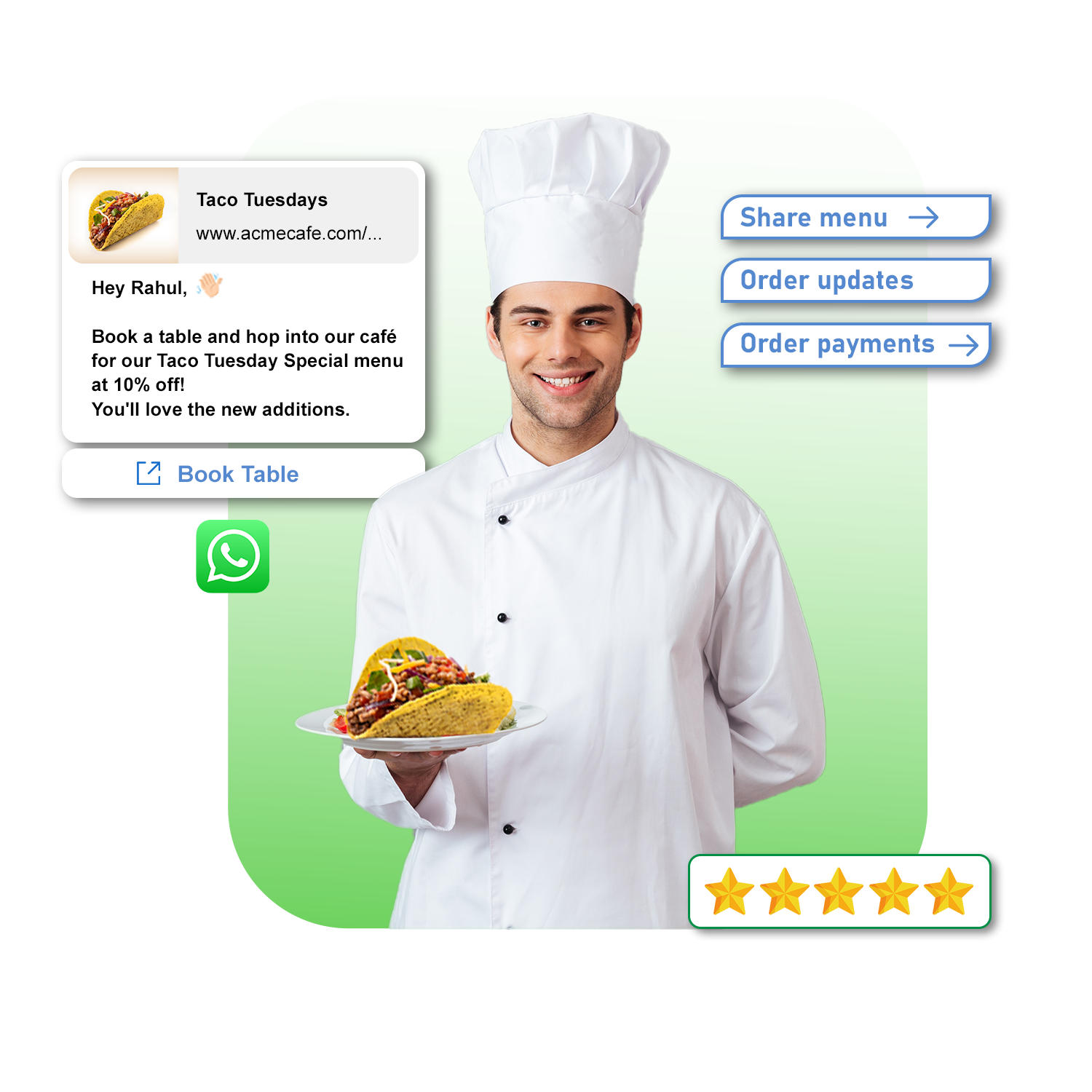
Core Merits of UAE Restaurants

Online Ordering & Reservations
Customers can place orders directly via WhatsApp chat.
Automated menu sharing .
Table booking confirmations.

Order Tracking & Notifications
Send order confirmation, preparation updates, and delivery tracking.
Automatic “Your food is on the way!” messages.

Promotions & Loyalty Programs
Send discount codes, festival offers, or happy-hour alerts.
Run customer loyalty reward campaigns.

Customer Support
Handle FAQs (timings, menu, location).
Collect customer feedback after meals.
WhatsApp Business Restaurants for Clients in Dubai
WhatsApp Business for restaurants is not just a messaging tool. It is a daily working system for clients.
Restaurants in Dubai use one official WhatsApp number to talk to customers. Menu questions, takeaway orders, table bookings, and updates all come into one place. Everything stays written and clear.
Our clients like this because nothing depends on memory. Our teams like it because replies feel easier to manage, even during rush hours.

We Suggest WhatsApp Instead of Only Phone Calls
We have seen how phone calls slow things down. During peak hours, staff cannot always answer. Customers get frustrated and move on.
WhatsApp works better because customers can message anytime. Restaurants reply when there is a free moment. Messages do not get lost.
With WhatsApp Business for restaurants in UAE, we help restaurants reply faster without adding pressure on staff.
Help Restaurants simplify ordering
Many restaurants do not need complex ordering apps. Our experience shows that customers in UAE are comfortable ordering on WhatsApp.
We help restaurants share menus, confirm orders, answer custom requests, and send payment details through chat. Everything stays in one conversation.
This reduces mistakes and increases completed orders. Our clients often tell us that ordering feels calmer and more controlled.


Making Table Bookings Easier
Booking calls usually comes at the worst time. We have seen staff miss calls and forget details.
With WhatsApp Business for restaurants, bookings happen in writing. Customers’ message for availability. Restaurants confirm clearly. Changes are easy to track.
Our UAE partners see fewer booking errors and smoother table management.
Use WhatsApp for Restaurant Promotion in UAE
We believe restaurant promotion should feel friendly, not pushy.
We help UAE restaurants use WhatsApp Business for restaurants to share daily specials, weekend offers, festive menus, or new dish launches with regular customers.
These messages feel like updates, not ads. Customers respond better, and repeat orders increase.
Supporting Customers Even After the Order
Our work does not stop once the order is placed.
We help restaurants send order updates, delay messages when needed, and provide quick responses if something goes wrong. A short message often prevents a complaint.
Good communication builds trust. Many of our clients see customers return because they felt respected.
Building a professional brand image
We help restaurants set up proper WhatsApp Business profiles with name, logo, address, and timings. This builds instant trust.
We also help define message tone. Simple. Polite. Clear. No robotic replies.
With WhatsApp Business for restaurants, every message supports the restaurant’s brand image in UAE.
This approach reduces staff stress
We understand restaurant pressure. Phones are ringing nonstop exhaust teams.
WhatsApp absorbs that pressure. Messages can be answered between tasks. Staff stay focused on service.
Our goal is not to add work. It is to make daily work lighter.
Why UAE Restaurants Choose to Work with us?
01
We understand real restaurant operations, not just theory. We know peak hours are stressful and mistakes are costly.
02
We design WhatsApp communication around real workflows. No copy-paste scripts. No over-automation.
03
With WhatsApp Business for restaurants, we help restaurants take more orders, communicate clearly, and build loyal customers.
Whatsapp Business For Restaurants
Why Choose WhatsApp Business API for Restaurants?
Order Management
Customers can easily place orders and track deliveries through WhatsApp business API, streamlining the process and reducing reliance on multiple platforms.
Reservation Management
Customers can book tables directly within WhatsApp, simplifying the booking process and reducing workload for staff.
Personalized Promotions
Segmenting customers based on preferences and past orders allows for targeted promotions, increasing engagement & sales.
Menu Sharing & Updates
Restaurants can share menus, daily specials, and promotional offers directly with customers.
Customer Support
WhatsApp business API provides a convenient channel for addressing customer queries, resolving issues, and gathering feedback.
WhatsApp Business API for Webinar in UAE
WhatsApp Business API for Webinar
Why Choose WhatsApp Business API for Webinar?
Registration & Reminders
Automated messages can be sent for webinar registration, reminders, and updates.
Direct Engagement
Attendees can interact with speakers, ask questions, and participate in polls and quizzes through WhatsApp.
Post-Webinar Follow-up
Following up with attendees after the webinar can help nurture leads and gather feedback.
Uses of WhatsApp Business API for Webinar in UAE
Event Registration
Auto-send webinar joining link after registration.
Send payment confirmation (if paid webinar).
Reminders & Alerts
Automated reminders (1 day before, 1 hour before, 10 minutes before).
Share calendar invites.
During Webinar
Send poll links, quiz forms, or engagement messages.
Share downloadable materials (PDF, PPT, etc.).
Post-Webinar
Send recording link to attendees.
Collect feedback surveys.
Share certificate of attendance.
Connected Clients


Get WhatsApp Business for Restaurants in UAE, Dubai
Restaurants grow when communication feels easy and ordering feels smooth.
WhatsApp Business for restaurants helps us and our clients reduce confusion, improve service, and increase repeat orders. It is simple. It is practical. And it works every day. Contact Bulky Marketing today to understand the complete process flow of WhatsApp Business for Restaurants in UAE. How it works and its benefits. Our support staff is always ready to support you.
Frequently Asked Questions
Take a important knowledge about WhatsApp Business API for Restaurants.
What is WhatsApp Business API?
WhatsApp Business API is a solution that allows businesses to communicate with their customers on the WhatsApp platform at scale. It provides advanced features and capabilities for businesses to send notifications, provide customer support, and engage with users.
How can I get the WhatsApp Business Verified blue tick?
- In addition to their business name, WhatsApp gives businesses with the Official Business Account status a blue tick. This is visible in the display name of your contact number even if your WhatsApp business number is not explicitly saved by your users.
- However, WhatsApp’s decision to approve your blue tick verification is completely up to them. Their decision in this regard would be final. Multiple factors such as brand credibility, your following on social media, listing in external media and your domain ranking can influence your blue tick approval.
- To request for a blue tick verification, you can simply connect with our support team and send in a request. It normally takes about 3 business days to get the approval. Your number will automatically be displayed alongside the blue tick as your business name to your users once your request for the blue tick is approved. This will demonstrate that your company has been verified. You will still be able to use Bulky marketing and the WhatsApp business API even if your application for the blue tick is turned down.
Diffrence between WhatsApp Business App & WhatsApp Business API
Unlike the standard WhatsApp Business App, which limits broadcast messages to 256 recipients, the WhatsApp Business API empowers you to unleash unlimited broadcast messaging capabilities. With an official WhatsApp Business API account, you can send messages without the risk of being banned, ensuring seamless communication with your audience. Moreover, your messages will bear the prestigious Blue tick, indicating their authenticity as verified by WhatsApp. Embrace the vast array of additional features available exclusively to WhatsApp Business API users, including interactive messages, chat buttons, product catalogs, in-chat payment options, and much more. Elevate your business communication to unprecedented heights with WhatsApp Business API.
What are the main features of WhatsApp API?
Message Templates (notifications)
Session Messages (2-way chats within 24 hours)
Chatbots & automation
WhatsApp Flows (forms and menus)
Media support (images, PDFs, videos)
Customer tags, analytics & reports
Integration with CRMs and helpdesks
What are the benefits of using WhatsApp Business API?
- Direct communication with customers on a popular and widely-used messaging platform.
- Ability to send timely notifications, such as order updates and appointment reminders.
- Enhanced customer support with features like automated replies and chatbots.
- Detailed analytics and insights to measure the effectiveness of your WhatsApp campaigns.
- Rich media support for sending images, videos, and documents.WhatsApp Business API is a solution that allows businesses to communicate with their customers on the WhatsApp platform at scale. It provides advanced features and capabilities for businesses to send notifications, provide customer support, and engage with users.
What is the 24-Hour Customer Service Window?
Once a customer sends a message, a 24-hour window opens where your business can send free-form messages without templates. After that, only template messages are allowed unless the customer replies again.
How can I get access to WhatsApp Business API?
Experience seamless support by contacting Bulky Marketing, where our dedicated team of experts will provide personalized assistance. Alternatively, you have the option to apply directly through WhatsApp. However, it”s important to keep in mind that choosing the direct application route may entail additional time, effort, and developer resources compared to leveraging the comprehensive support offered by Bulky Marketing.